Server:Server Status

Welcome to Joe’s Xbox Xecuter 3 Upgrade Preparation Guide!

I made this update guide for several reasons:
1) I am extremely bored
2) I am excited for the X3 to come out
3) All the hardware pictures posted on Team Xecuter's site have me salivating
4) I love taking things apart and after fixing an old car stereo I'm out of projects.

If you want to understand some backgruond before reading this guide, you should see the initial guide I wrote for installing the Xecuter 2.3b lite here. So, the main differences with the new chip and the old chip are that the new pin header uses all of the holes whereas the old chip left 4 empty, there are 2 solder points on the motherboard to enable HDD and LAN activity LED's, and there are 2 solder points to control the reset on eject feature which can get annoying if you've ever run across it.
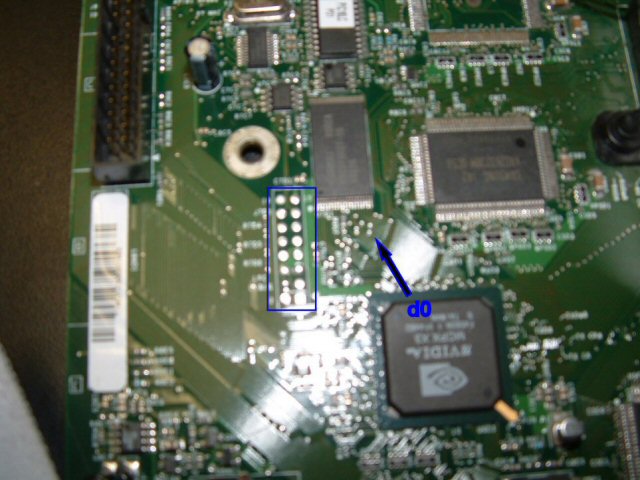
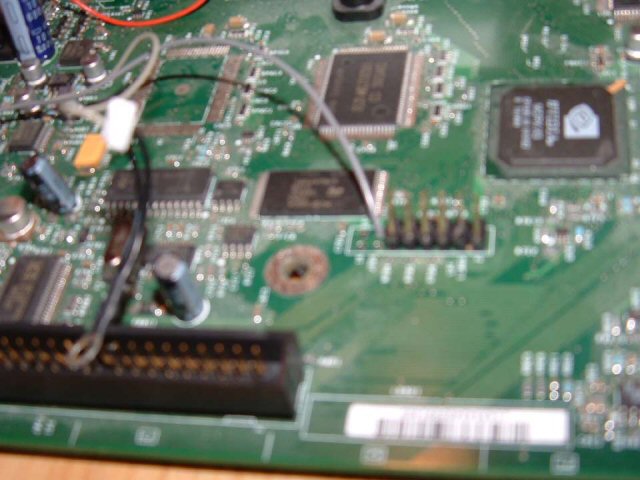
In regards to the tutorial I made before, one obvious problem is that the d0 wire comes through one of the open pin header holes (Hereby to be referred to LPC holes, which is the technical term for BIOS connecter) While it was valid, it was a great way to arrange the wire, but now that we need those holes, we'll have to figure something else out.
X3 Preparation 01
As you can see here, this is what the wire looked like for the X2 mod.
X3 Preparation 02
So, now you can see the back of the board, where the d0 is connected. We need to pull the d0 wire out of the hole, so first we need to (on the front) separate the wire I installed from the one coming out of the chip (by lightly touching the soldering iron to the joint and pulling the wires apart) Once done, we'll concentrate on the back.
X3 Preparation 03
Once the tape is removed, you need to pull the grey wire out. This can be tricky, since you don't want to pull the solder joint off. What I did is press firlmy against the part of grey wire about 1/4 inch away from the solder joint, and used a pair of pliers to pull the grey wire through the hole.
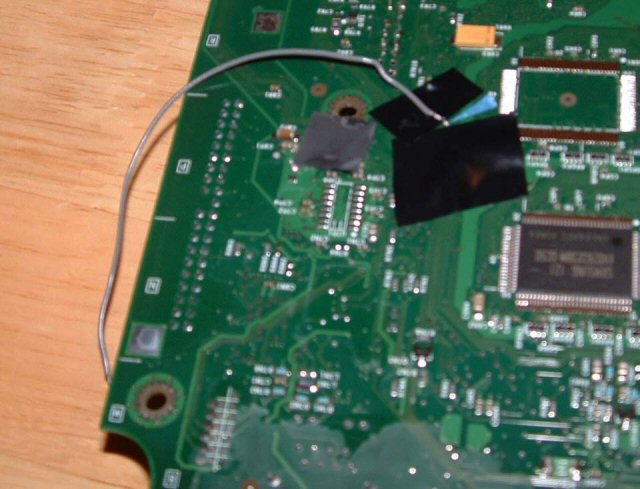
X3 Preparation 04
You can see that I left the grey wire really long when I did the initial mod. This paid off, since now I need to re-route it outside the edge of the board.
X3 Preparation 05
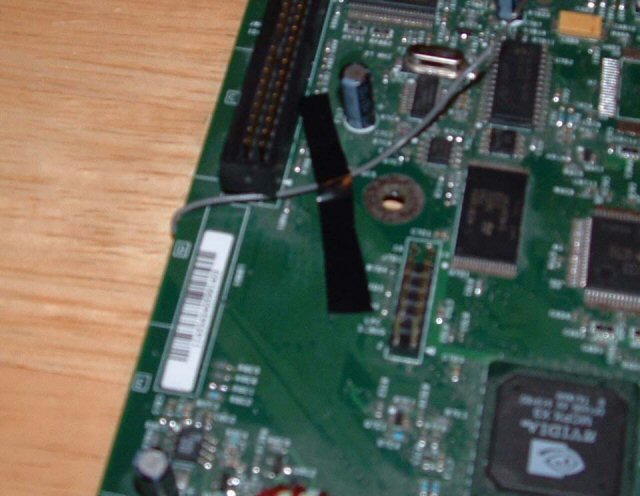
After the wire is out, you want to tape it down pretty quick. This is so you don't accidentally yank it and separate the d0 point, and so that it doesn't flop around and get tangled everywhere.
X3 Preparation 06
Finally, flip the board back over and tape down the wire on the top. Leave enough room so that you'll be able to attach it to the d0 wire coming out of the port on the chip, which is about what I have left in the picture.
X3 Preparation 07
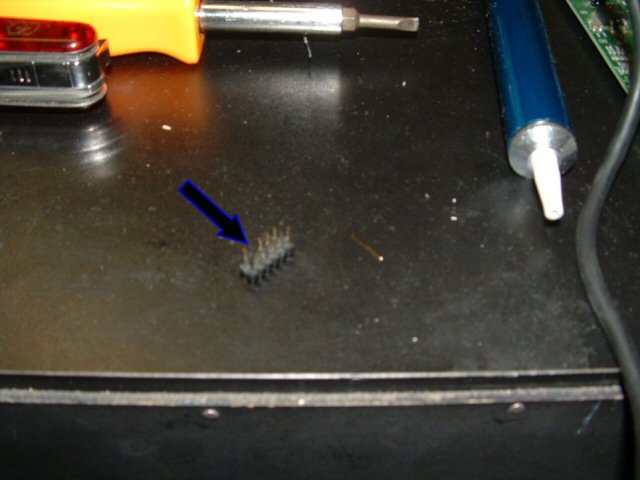
Next is the LPC expander. Rather than de-solder the old pin assembly, I took a spare I had around and made something to fill the 4 empty holes. Here's the spare.
X3 Preparation 08
I removed the 4 pins on an end of it with some needle-nose pliers.
X3 Preparation 09
I then snapped off the black part for the 4 empty holes. It was easy to grip with the pliers and snapped right apart.
X3 Preparation 10
Finally, I put the 4 pins back in the black thing and had a finished pin expander.
X3 Preparation 11
Using the same procedure as I did in the original mod chip installation guide I soldered the new pin assembly into the 4 empty holes. Just to make sure they were straight enough, I put the X2 chip on the new pins and the they fit into the holes.
X3 Preparation 12
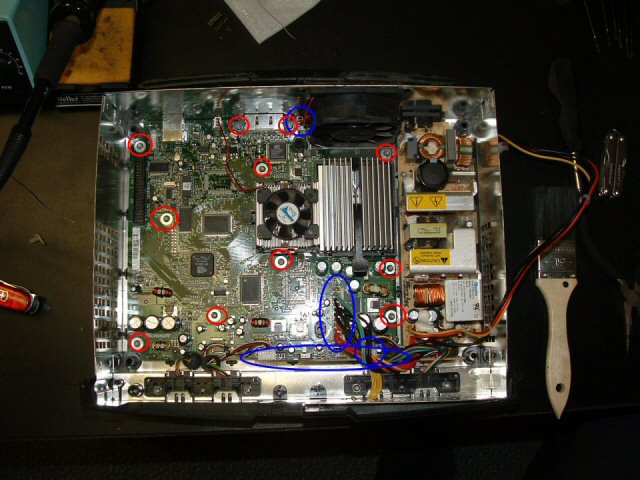
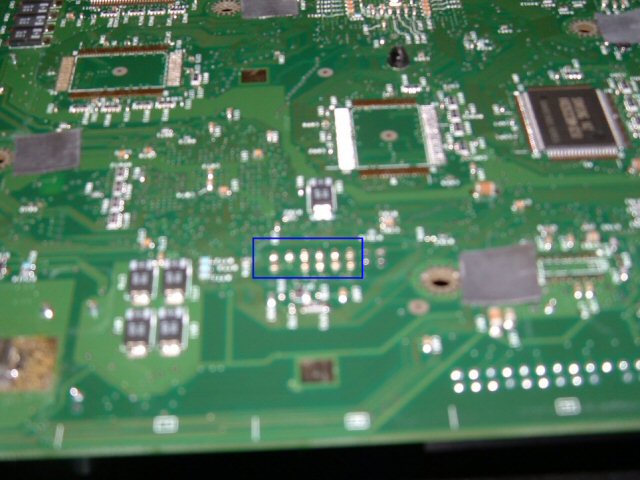
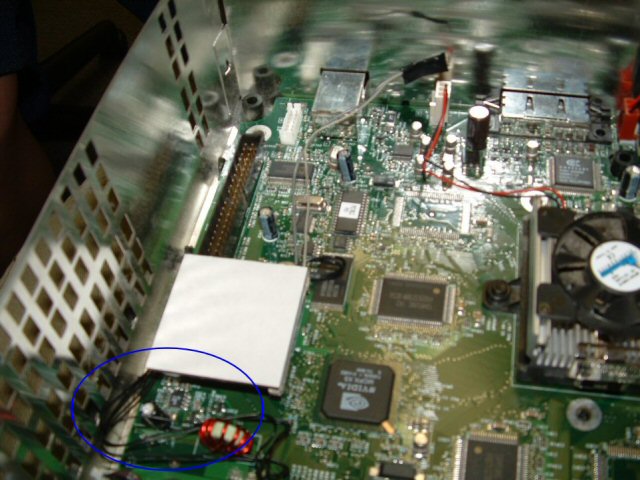
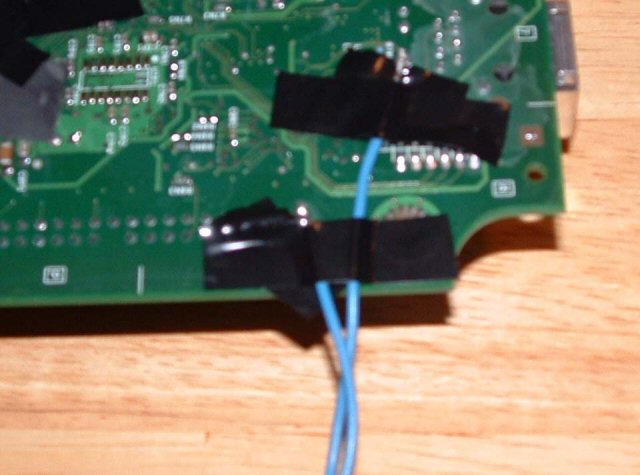
Next are 2 points on the back of the motherboard which will be linked to the LAN and HDD activity LED's. The area of the board I am focusing on is right under the corner nearest the IDE connecter (long and black with about 40 pins) and the LAN port in the back. Find the 2 spots pointed to in the image (Sorry it's so blurry, check the team Xecuter X3 guide for better pics, and mask around them with electrical tape, so you don't accidentally hit anything.
X3 Preparation 13
Because I am doing this with the intention of one day soldering it to a completed X3 chip, I left a lot of extra wire (about 18 inches) and I recommend you do the same, since you can always cut it to accommodate your mod. I soldered the wires so they were facing the edge of the board for easy wrap around to the front, much like the d0 wire. I labled them with some masking tape flags, and taped them down for now.
X3 Preparation 14
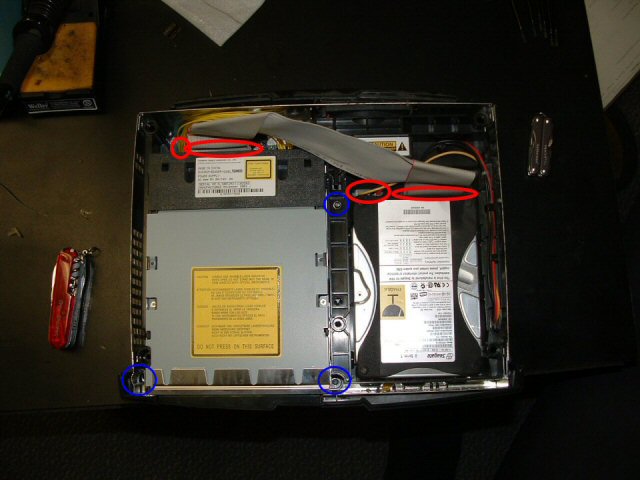
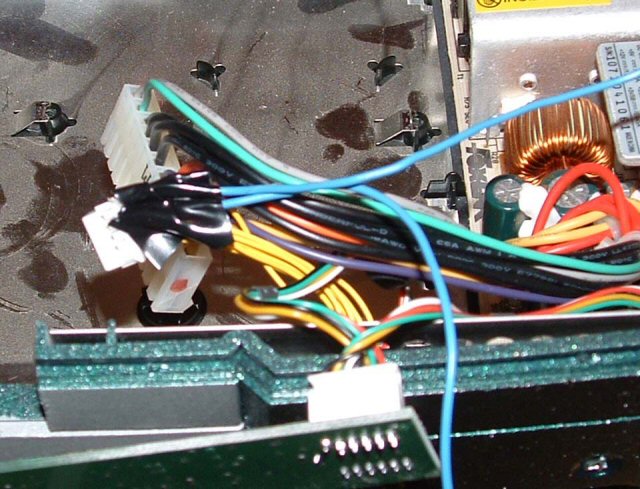
The other 2 wires needed are for the reset and eject fixes which the new chip can control. To do this, you need wires coming out of the button controls to connect to the chip. In the image, I have highlighted which wires coming out of the yellow connector towards the front of the xbox need connections. This was the trickiest part of this project, but what I recommend is taking some long, multi-strand wire, stripping 1/4 of an inch, flattening it out, tinning it with some solder (applying some solder to it so it's more solid than free wires) then trimming it with some scissors so it fits alongside the metal casing in the white plug. Once it fits, slip it in and just apply some solder to the wire, it should take (travel on its own as a liquid to the connection point) and make your wires complete.
X3 Preparation 15
It's hard to see here, but I used electrical tape to fasten the blue wire and its associated yellow wire together. This not only shields it, but makes sure neither wire will be pulled out. I labeled them with masking tape flags and tucked them over where the chip will be installed.

So that's that. I just put the motherboard back in the box, screwed everything in, and put my X2 back in where it belongs. You'll notice if you try it that the X2 won't go all the way on since the d0 connecter gets int he way of the new pins, but it still makes a connection so don't worry. When it's time for X3, it should be a quick, simple process to open the board up, trim and solder the 4 wires, and pop on the pin header. Please feel free to ask me any questions about my guide at my e-mail. Thanks a lot for reading, happy modding!

- - - - - - - - - - - - - - - - - - - - - - - - - - - - - - - - - - - - - - - - - - - - - - - - - - - - - - - - - - - - - - - - - - - - - - - - - - - - - - - - - - - - - - - - - - - - - - - - - - - - - - - - - - - -

Turtle Tank and Dock

As we all know, Jenn and I have a baby named the Baron. Specifically, a baby map turtle named The Baron von Deutschenheim the Second. When we got him, or should I say before we got him, I knew he'd need a home so I made him an awesome one. First, I built the tank itself. Now, you may know where he lives now, unfortunately, dad and I tried to re-caulk this tank and it sprung a series of leaks we never got to finish fixing, so it's in my house in Villa Park accumulating dust. One day though, he'll live in it again.

Dock 01
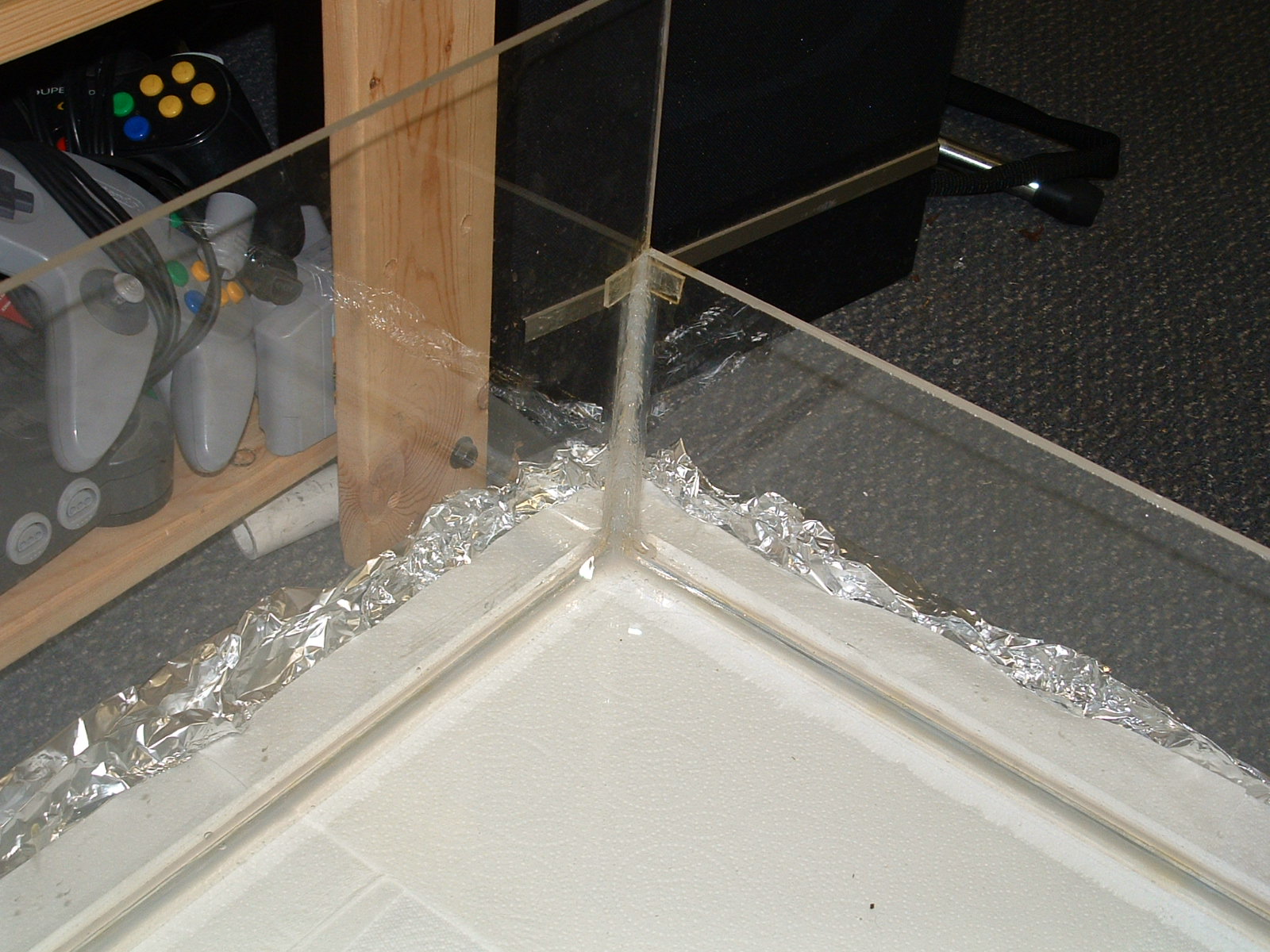
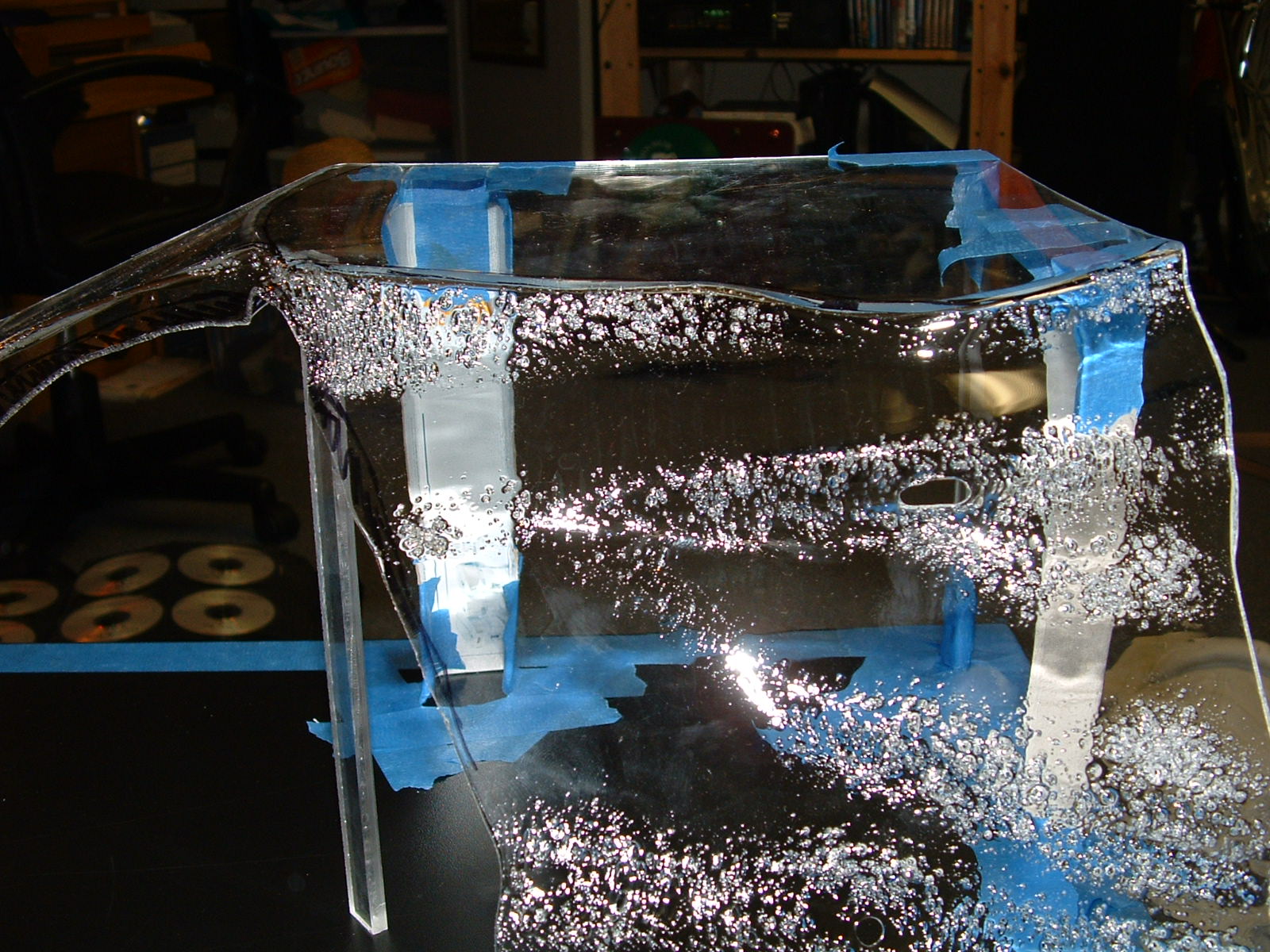
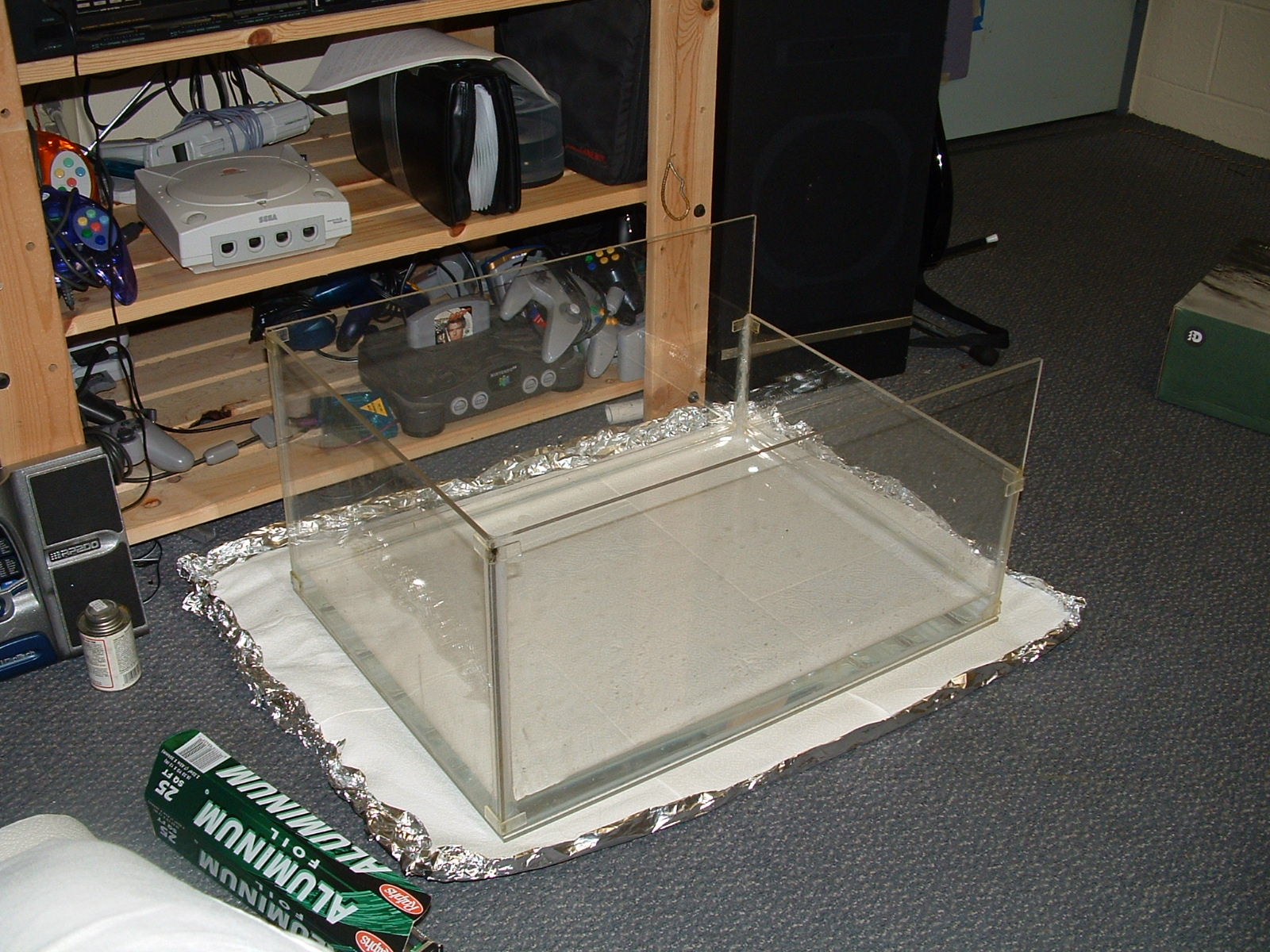
The tank is made out of 1/4 inch clear acrylic with one side lowered for the filter. The lowered filter position allows for the water to be lower but there still be dry space at top. I used the foil and paper towel method to test for leaks, and she passed awesomely!
Dock 02
This picture is the same, but deleting it would screw up the number order of my pictures.
Dock 03
A close up of the strengthened joint, it's epoxy, silicon caulk, and reinforced acrylic 90 degree bends.
Dock 04
The opposing dropped corner.
Dock 05
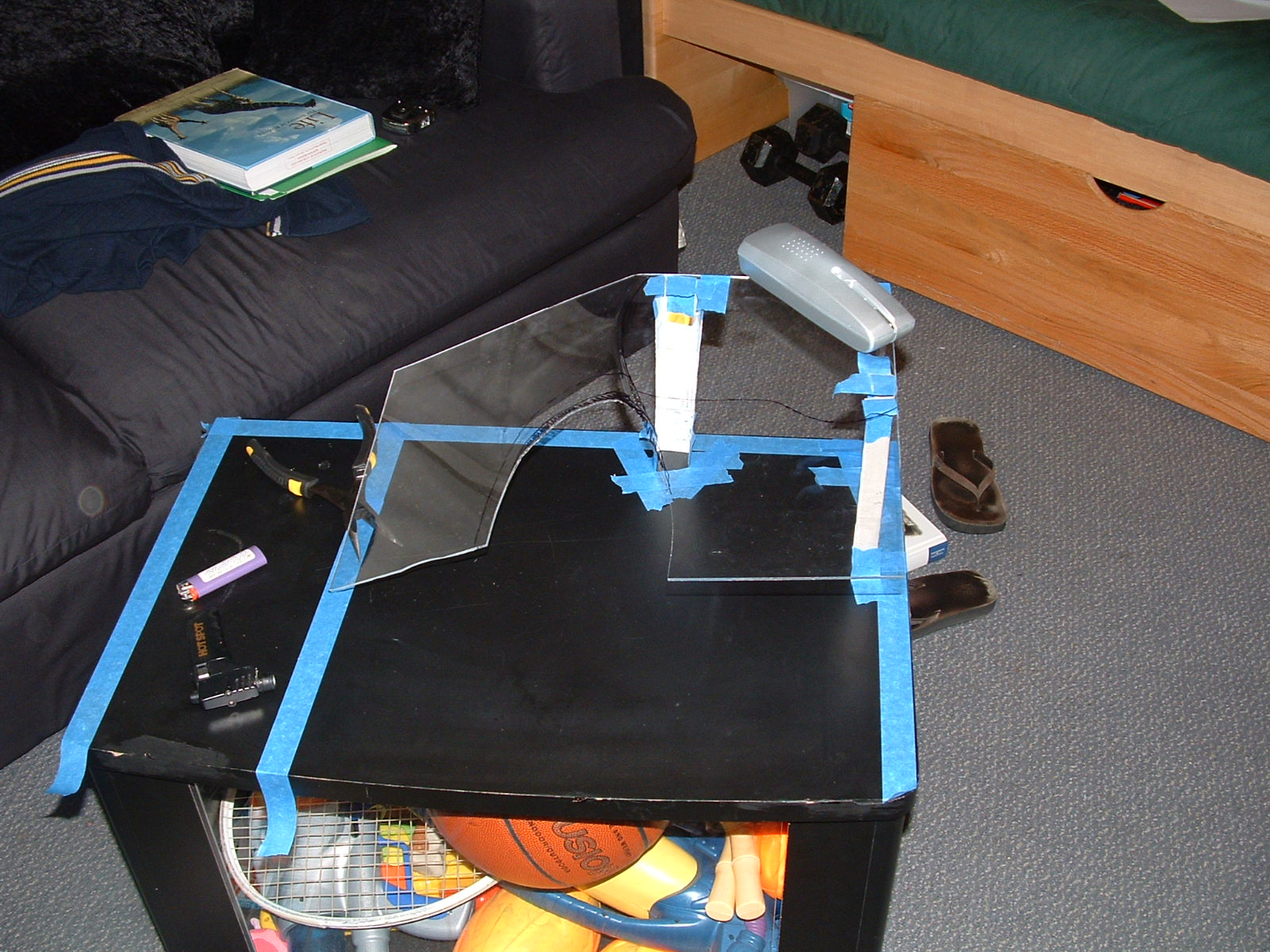
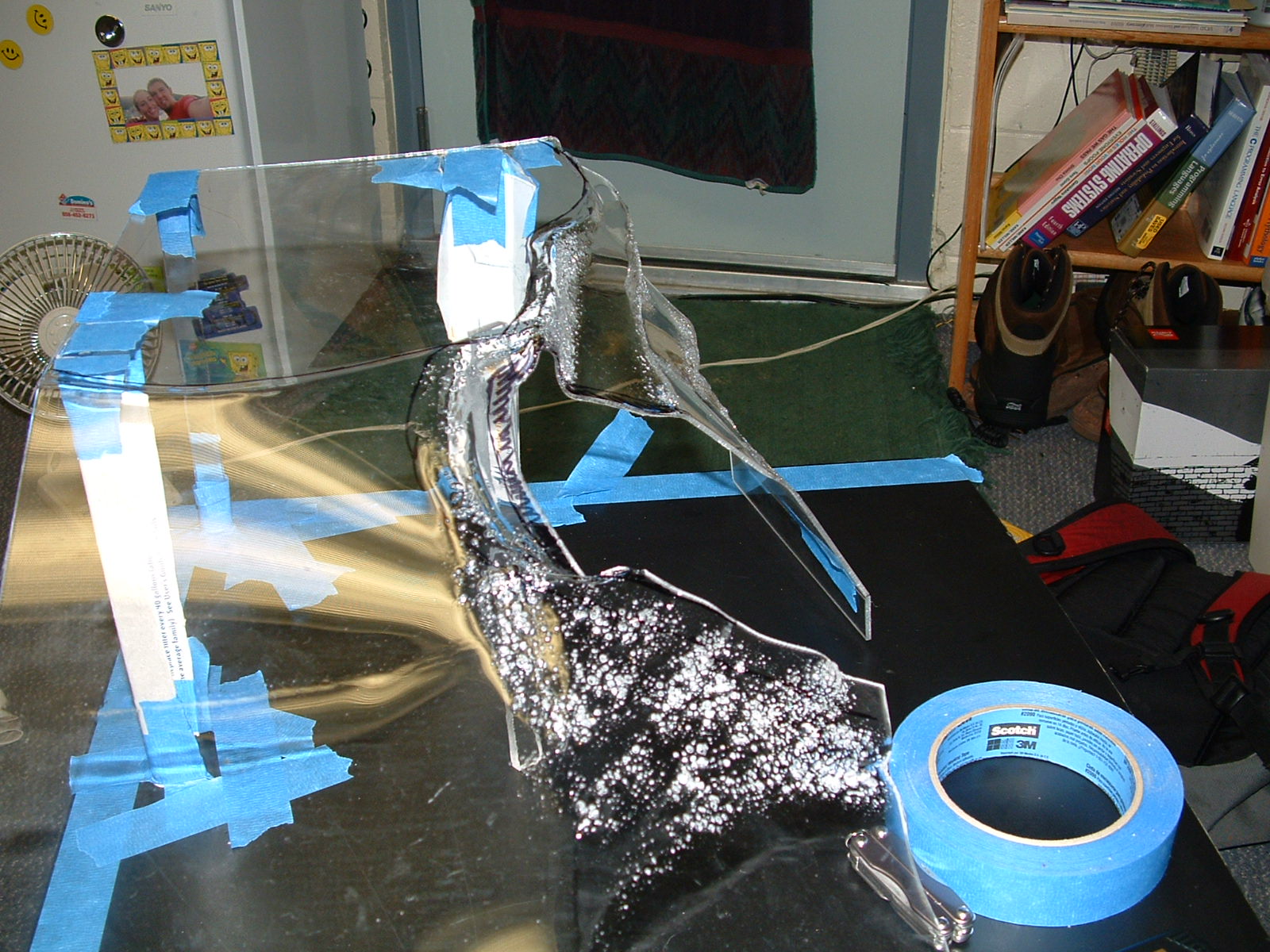
So, his royalty will like a place to sit out and bask in the sun as well as a place to hide, like a cave. He also needs to be able to easily get up on it, and it should be pretty. I used some 1/8 inch acrylic to make a custom dock feature. Here's the simple piece I started with.
Dock 06
The first bends, done with a light butane torch.
Dock 07
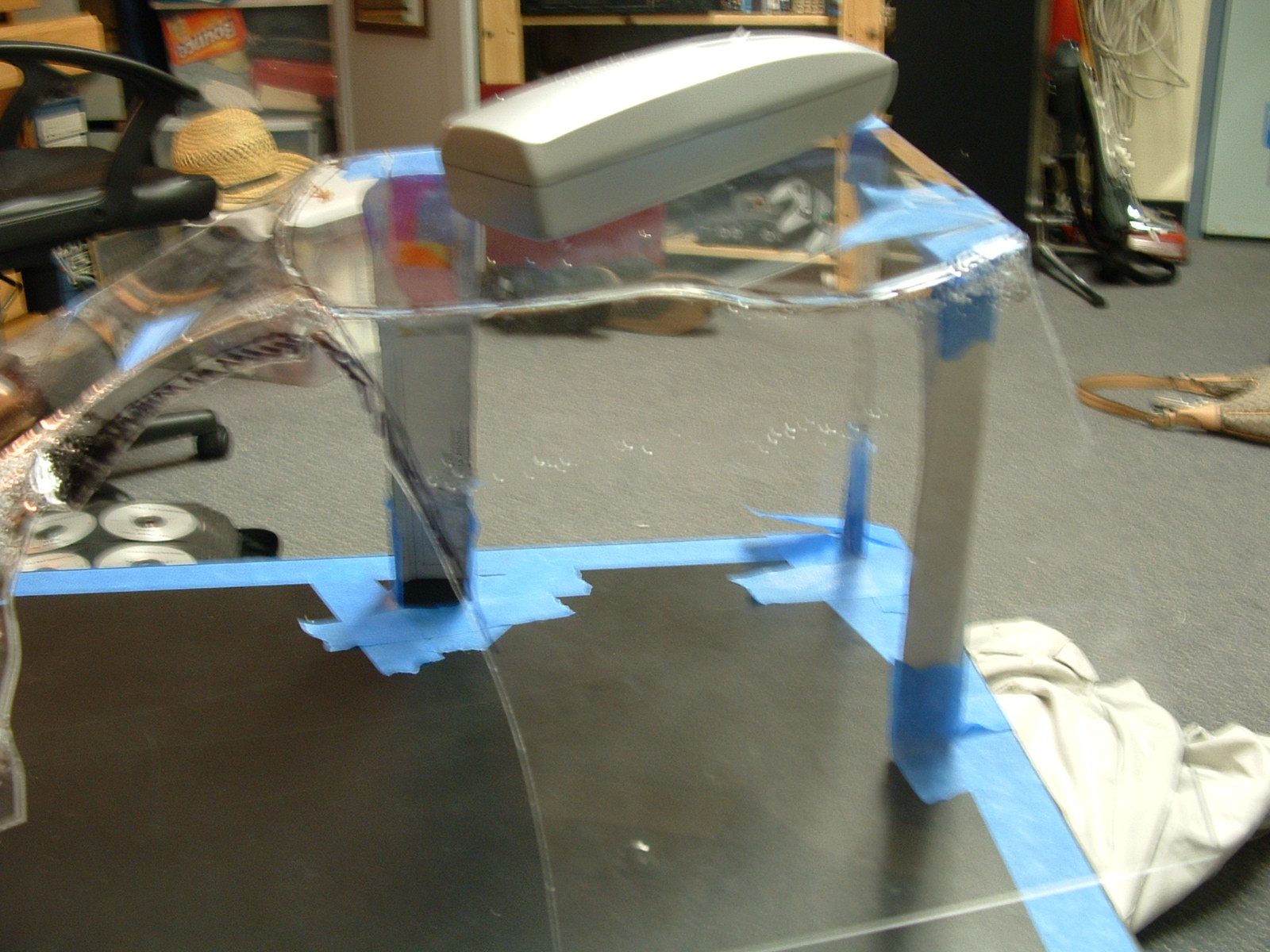
The acrylic stretches when it is bent so the bends don't have to be straight lines, as you can see. Who knew I was a sculptor too?
Dock 08
I'm inspecting the rig, I want the height to be right above the water line set by the lowered edge, so I made this little rig to hold it steady while I worked.
Dock 09
Preparation for the firing, notice my heat prevention gloves.
Dock 10
BURN!
Dock 11
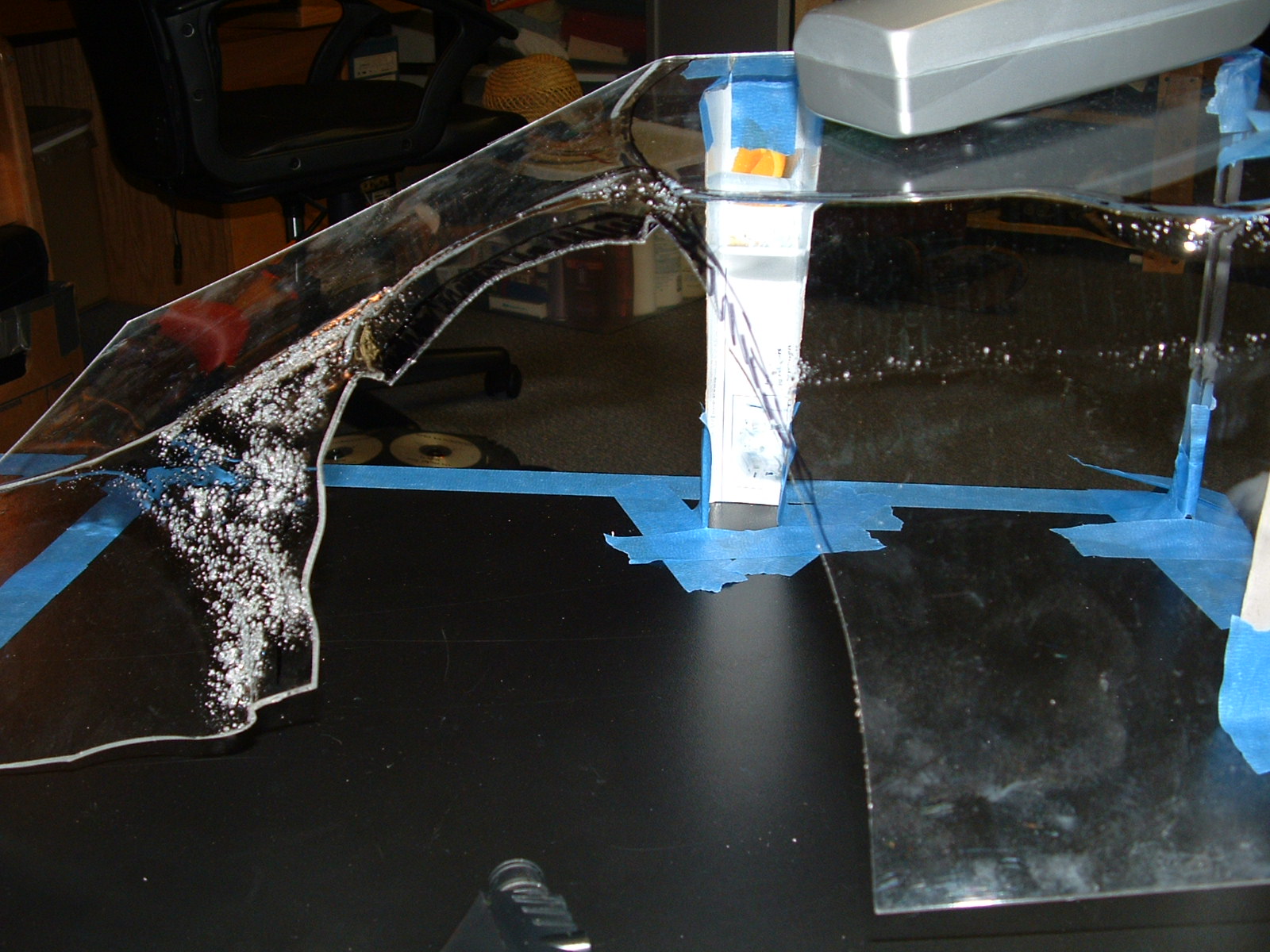
THE MELTEY FIRE!!! The acrylic bubbles if it gets too hot.
Dock 12
Heating is a slow process.
Dock 13
Pensive.
Dock 14
Slowly taking shape, thanks for takin pics Jenn.
Dock 15
The bubbles are where it's heated up a lot, but they make it easy to expand and bend. It's really starting to take a dropped ramp shape.
Dock 16
The beginnings of the cave.
Dock 17
Beginning the drop side.
Dock 18
The ramp from the front, in formation.
Dock 19
Ok, here's the rock structure, if I do say so myself it turned out spectacular, it looks really natural and flowing.
Dock 20
Again.
Dock 21
Side view, with an extender at the bottom. And a hottie in the background, studying.
Dock 22
This is where my man is gonna sit when he's sunning!
Dock 23
Seems the ramp is too short, think I'll need to extend it.
Dock 24
Closeup on the drop side extension.
Dock 25
Here's the extension on the ramp, with the whole unit installed in the tank. Temporarily, to make sure it fits.
Dock 26
Fits great, sits on little nubs glued to the side of the tank.
Dock 27
The dock out again.
Dock 28
It may look ugly, but this is the extension held on with hot glue and acrylic scraps. It looks better in the end, and I did this knowing it.
Dock 29
More.
Dock 30
More.
Dock 31
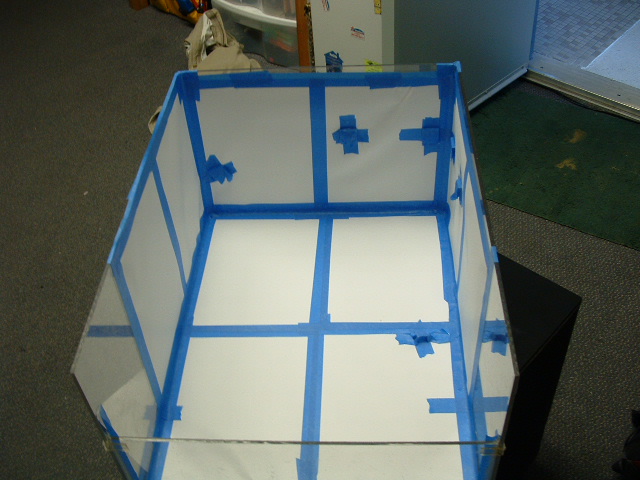
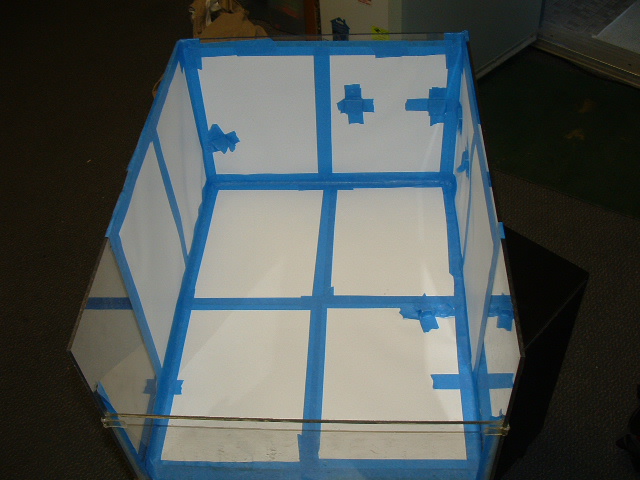
Well, I want this thing to look beautiful, so I'm gonna make it look like rock. First, I covered the inside of the tank with laminated paper.
Dock 32
So many repeat pictures!
Dock 33
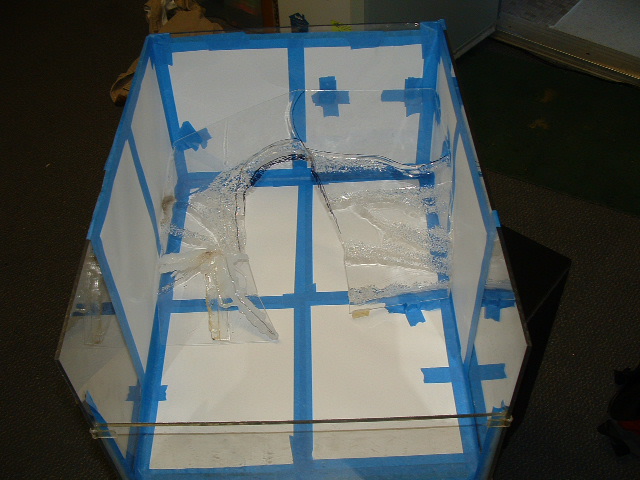
The dock is in, see it fits. See why soon!
Dock 34
It's in.
Dock 35
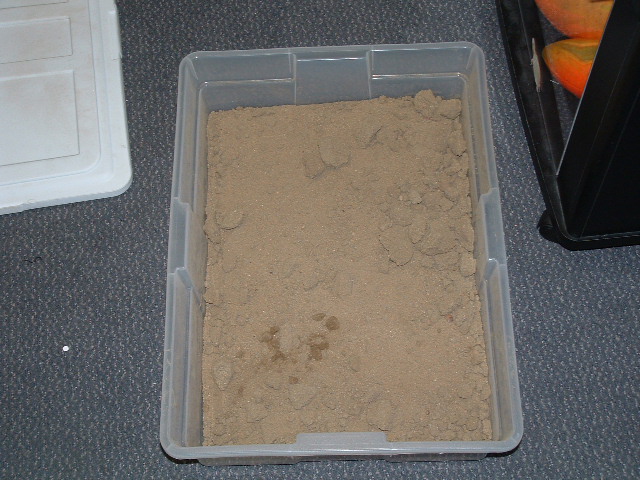
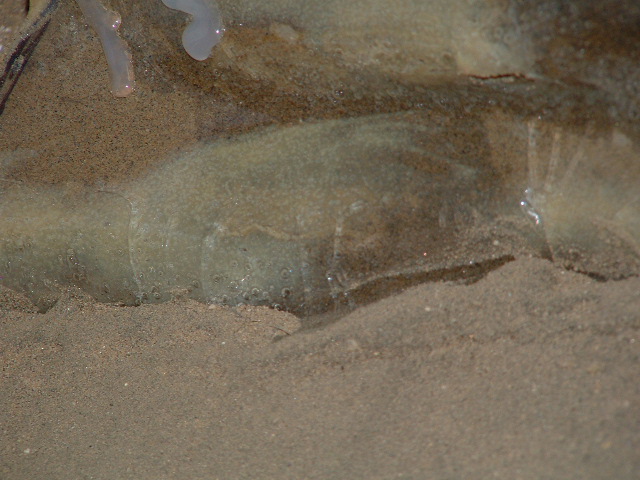
So Adam (my awesome resident) and I went to the volleyball courts and stole some janky ass sand.
Dock 36
Using the lid of my small tank as a sieve, we filtered out the bad sand from the good sand.
Dock 37
See the fine nice sand?
Dock 38
This adhesive is used to put countertop laminant down, I laid it on thick.
Dock 39
Me painting the dock in the covered tank.
Dock 40
More cover.
Dock 41
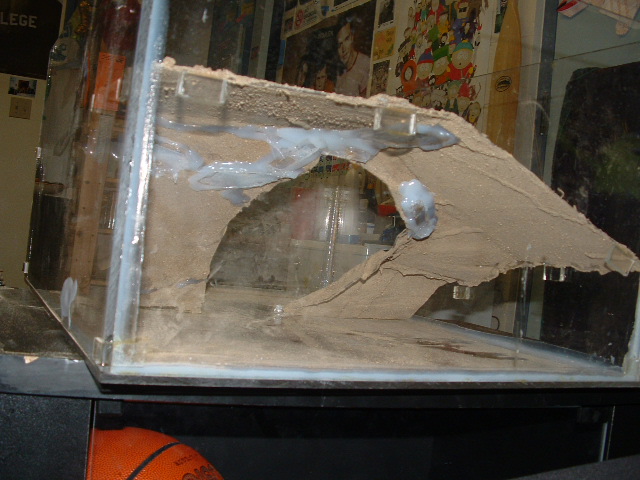
And now do you get it??? It looks like rock since the sand sticks to the glue!
Dock 42
The underside too, which turned out to be a problem. . .
Dock 43
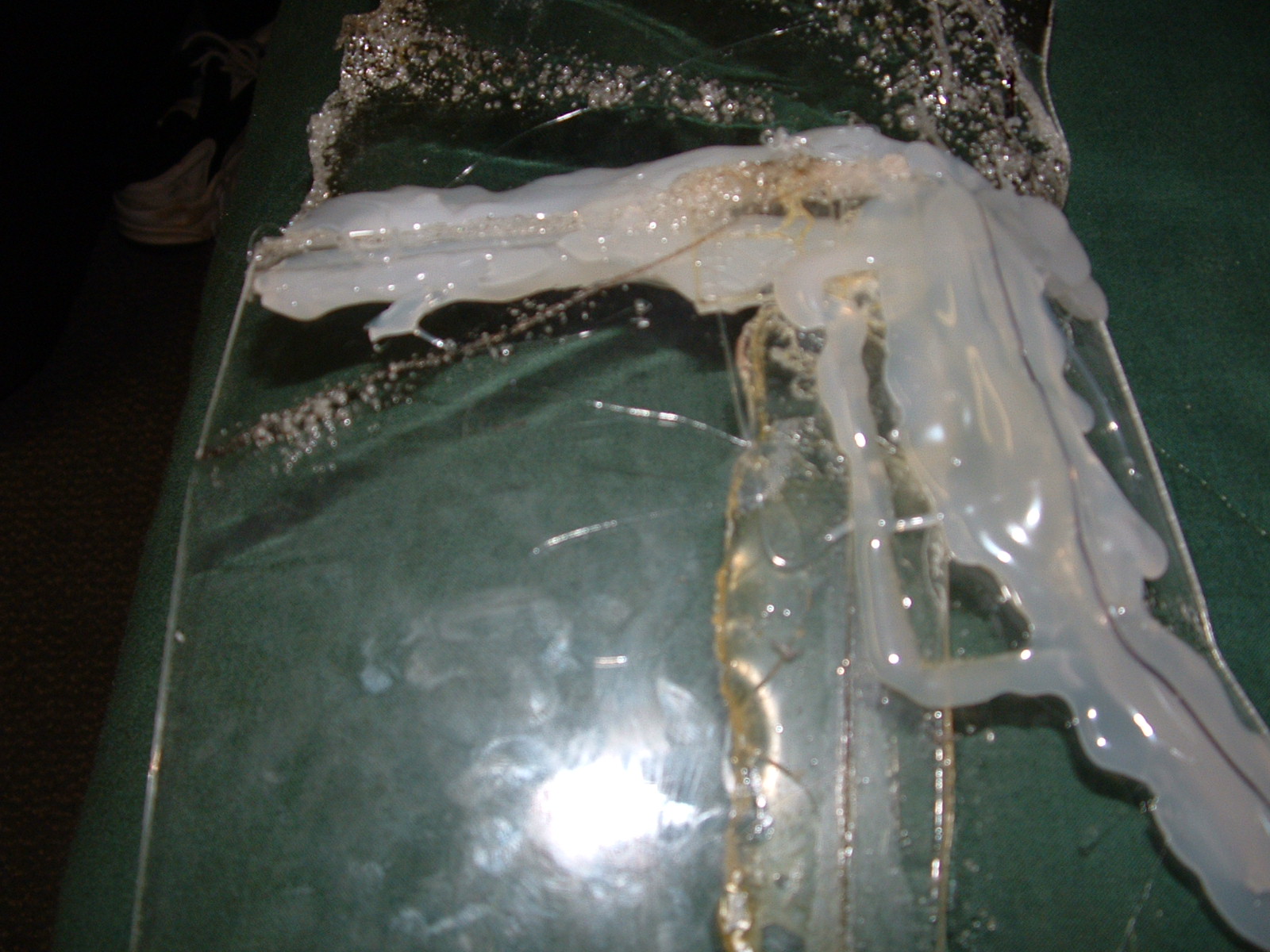
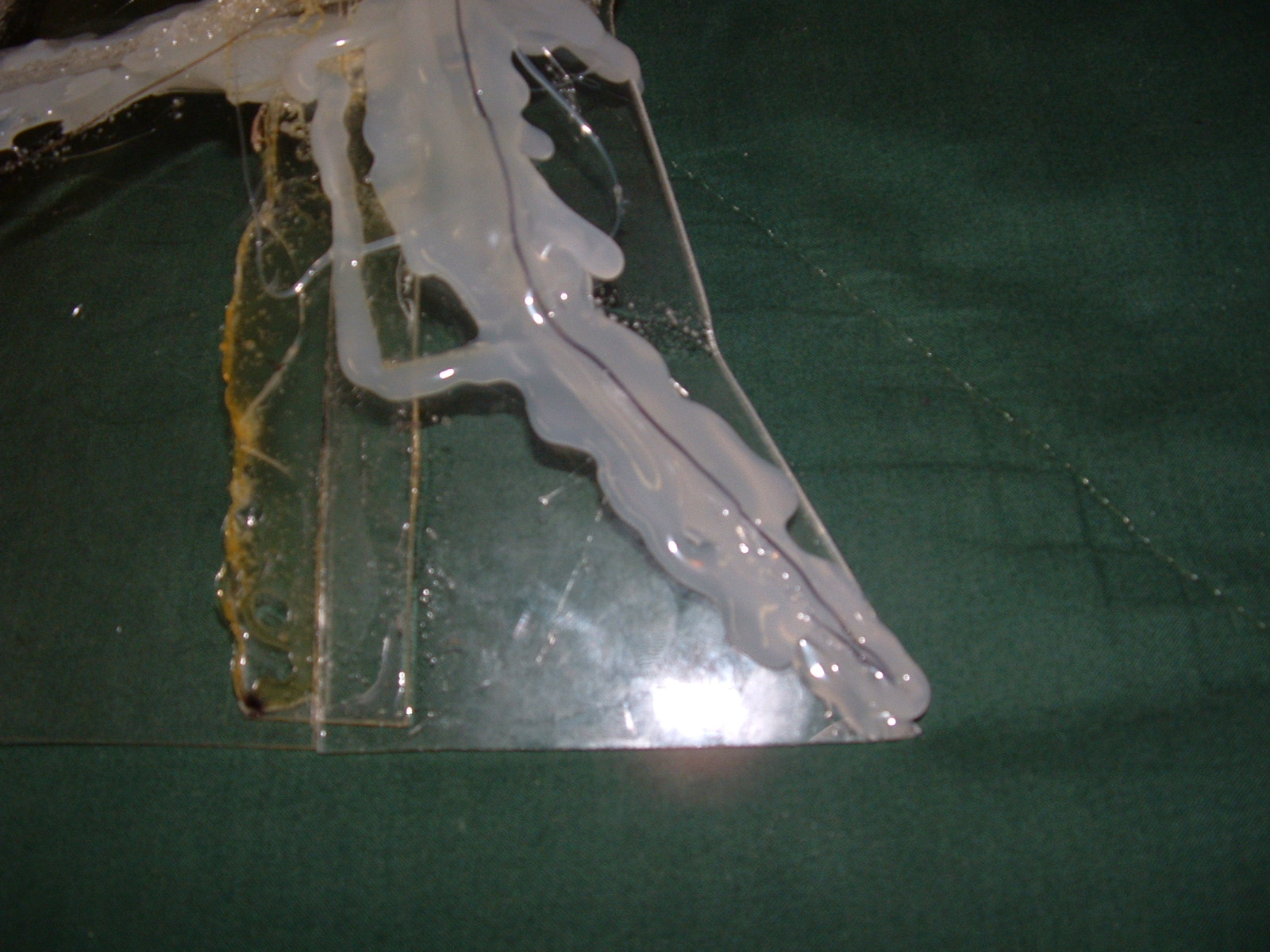
The weight of the sand caused cracks which I had to repair.
Dock 44
Hidden and covered!
Dock 45
Finished, with some stray pieces coming off over time.
Dock 46
The repaired underside.
Dock 47
Supported by nubs.
Dock 48
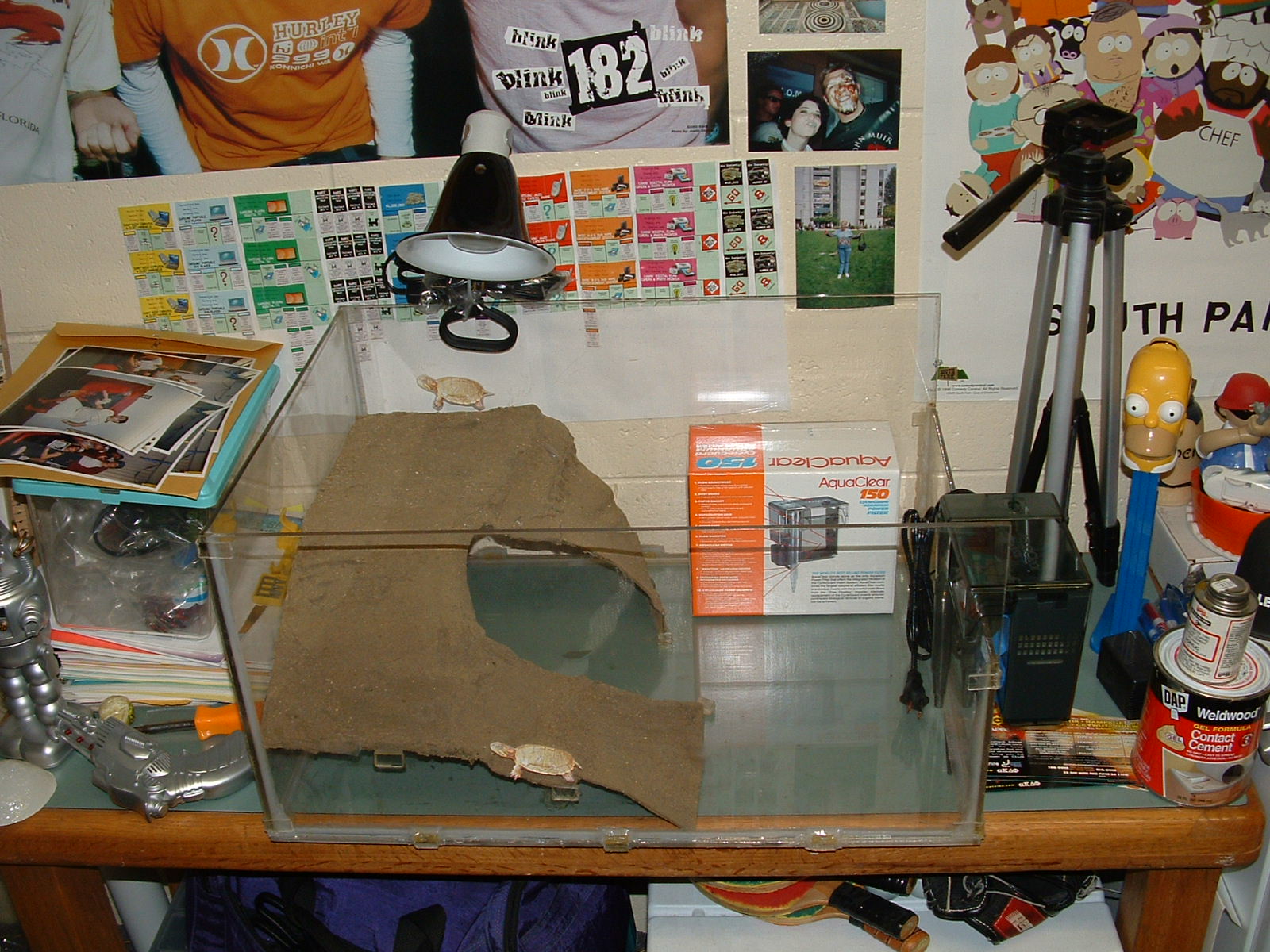
So here's the beautiful tank with the pic of a turtle in there, all ready to be enjoyed!

- - - - - - - - - - - - - - - - - - - - - - - - - - - - - - - - - - - - - - - - - - - - - - - - - - - - - - - - - - - - - - - - - - - - - - - - - - - - - - - - - - - - - - - - - - - - - - - - - - - - - - - - - - - -

Welcome to Joe’s Xbox Mod Chip Installation Guide!

Here, I'll try to show you the simple process for modifying the Xbox console and adding a mod chip. The chip I am describing is the Xecutor 2.3b lite, but the process should be similar for any chip. First, you need to take your Xbox apart.
X2 Mod 01
Remove the 6 hex nuts with a torx driver t-20. There's a screw under 2 of the labels, write the number you must break through down somewhere, in case it's important. You'll see when you do it. I wrote mine on the same label, with a sharpie. Once the screws are out, remove the cover.
X2 Mod 02
Once in, unplug the ribbon cable to the hard drive and the CD ROM and the motherboard, and unplug the power from the hard drive. There is a yellow wire coming from the CD-ROM, unplug that from the motherboard. There are 3 screws holding the drives in, these are t-10 torx wrenches. Remove them, then remove the drives, hard drive first.
X2 Mod 03
Next, unplug the power, fan, front buttons, and controllers from the motherboard. Unscrew the screws with a t-10 torx.
X2 Mod 04
Carefully remove the mothehrboard from the case. You may need to lift it from the front first, so the plugs in the back slide out. Place it on a smooth, nonconductive surface. We will be focusing on a small area of the board.
X2 Mod 05
We will be doing 2 major soldering projects: The pins for the BIOS upgrade (which are surprisingly here from Microsoft, maybe for testing or future add ons? Let's not complain!) and the d0 point. The d0 point is in a different spot on different versions of the Xbox, and this is a 1.0 version. You can learn about your version and how to distinguish it here, and later on I'll show you exactly where the d0 point is on your board. In the rows of holes, we need to remove the solder. This is a fairly simple procedure if you get a solder sucker, which is about 6 dollars at radio shack. A solder sucker is a spring loaded piston which you can set by pressing down on the spring until it locks, and then with a push of a button make it spring up, creating a vacuum inside. Put the opening over liquid solder (made liquid by heating with the soldering iron) and the solder inside the hole should suck right out.
X2 Mod 06
If done correctly, it looks like this. Don't worry about leaving a little solder in each hole, so long as you think you could push a pin through it, it'll be ok. You'll notice later we don't solder into all holes, but clean them out anyway, it's good practice and who knows, maybe one day a new mod chip will use them for something.
X2 Mod 07
This is the pin header we will be installing. A pin header should come with any mod chip you buy. This is the preferred method for installing mod chips because it allows for ease of exchange (If you decide to upgrade to a new generation chip) and a solid connection. Before we insert this, we must remove a pin, since there is a spot with no hole which must be accounted for.
X2 Mod 08
If you can see, it's the second pin up on the left. This can be easily slid out with a pair of pliers.
X2 Mod 09
Place the pin assembly in the holes, it shold only fit in one place. Tape it down with some masking tape or something, making sure it's all the way in. The tape will later be removed, it's to hold the pin assembly on when we flip the board upside down and solder the pins.
X2 Mod 10
It's blurry, but these are correctly soldered pins from the bottom of the board. You should practice some first, but by touching the top of the pin with some solder and a hot iron, the solder should on its own stick to the metal of the hole and form a little hersy kiss type joint.
X2 Mod 11
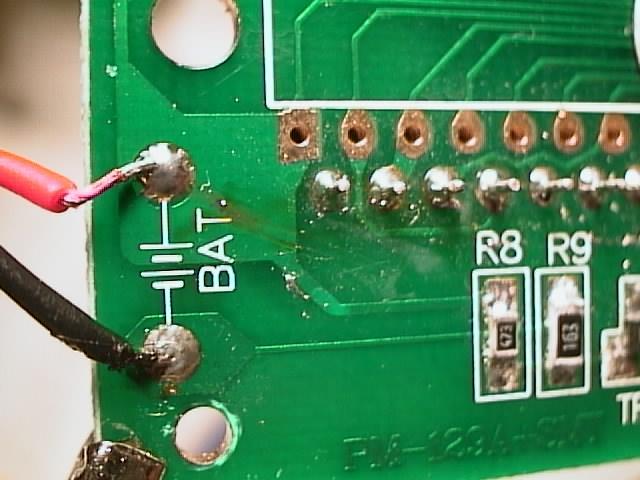
This is not part of the Xbox, but it's a better picture of a proper solder joint.
X2 Mod 12
Now, onto the "impossible" part, the d0 point!!! I'm sure everyone has heard how the d0 point is the most difficult thing to deal with ever, and that you'll be trying for days and ruin your Xbox doing it. Remember the picture above? If you look at your hole on your Xbox, you'd swear I'm kidding you about soldering to that tiny spot, but you do indeed need to have a connection to it - or, if you're smart, just make a connection to something already connected to that point. Here is where the d0 point is on the different boards.
X2 Mod 13
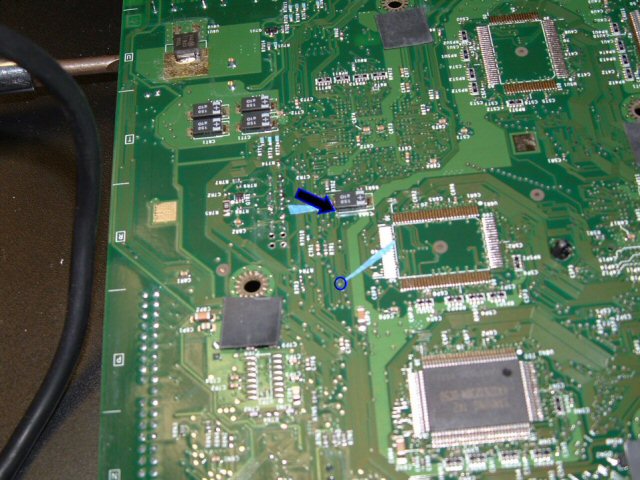
If you flip the board over, you can find the spot on the back the hole is connected to, and follow the trace attached to it to find a nice, easy to solder spot. Yes, the bottom blue arrow points to a completely valid d0 point. Surprisingly, most guides don't tell you to do it this way, but this is reality folks, and this is the sinple and solid way to do it. Also, by going from the bottom, you decrease the chance of accidentally pulling the wire out when messing inside the device, making it all the more attractive to solder to. If you don't have the same version as me, just find your d0 point, find where it comes through on the back, and follow it's trace, you'll find something there easier to solder to.
X2 Mod 14
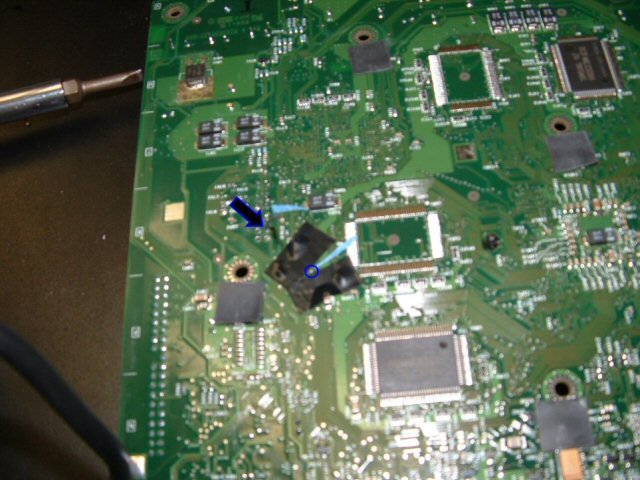
In this picture, I covered the solder points around the d0 point with some electrical tape. This is to ensure I don't accidentally make a connection with something I shouldn't. Also, looking at the holes for the pin header, there's 4 holes we cleaned and didn't use; I put a length of wire through one (which happens to be grey), and the wire I used was pretty snug in that hole. Later on, you'll see that a snug wire is added security so that nothing will tug on the joint you make. The grey wire is hard to see here, but it's on there, sticking up out of the second hole on the right. So, without much ado, I put some excess solder on the exposed tip of the grey wire, I used some pliers to hold the stripped end of wire onto the contact point, heated it with the soldering iron, and when it looked like it fused gave it a light tug to make sure. When I was sure (after 1 try on both the xboxes I did, and no I'm not a pro solderer) I taped over the connection so it didn't touch the bottom. (alternatively, you could put tape on the bottom of the metal in the xbox, so if you ever want to look at your solder joint there isn't tape stuck to it)
X2 Mod 15
So here's the top of the board again, all back in the case. I used the Xecutor 2.3b lite chip, which I like very much. You can follow the grey wire coming out of the hole we cleaned out; I left some of the end of it exposed, and merely twisted the end of it to the exposed end of the little grey wire coming out of the chip (The intended use of that little grey wire is to solder onto the front d0 point, but that's ridiculous) and covered it with electrical tape. There are 2 wire sets plugged into the chip; the one to the ground/d0 wire, and a set of black wires which we will use in a minute. Have both plugged into the chip, and screw the ground hole into the ground screw hole on the motherboard. Notice on the chip there is a black rectangle with holes in it; that will be sliding onto the pins you installed.
X2 Mod 16
Once you are ready, put the chip on the pins. It should look something like this. Notice the black wires coming out of the chip closest to the camera, we'll deal with those next.
X2 Mod 17
With this chip, there is a small control panel and LED that go on the front of your machine. To put them there, unscrew the controller ports from the front of the xbox and move them aside. Feed the end of the black wire through the vent holes in the bottom. This was the trickiest part of the mod for me since I have big stubby fingers. Tweezers are your friend!
X2 Mod 18
This is what the little switch chip looks like once it is installed. The wire through the controller ports comes through and plugs in with no extra wires hanging out, the white backing is peeled off and the stick surface is stuck to the bottom of the console, and the switches and LED are accessible from the front.
X2 Mod 19
Once you put the controller ports back in, it should look something like this, with the wires coming out the bottom of port 1. Finally, we are done!!! Plug everything back in like it was, and you're ready to make things work!!!
X2 Mod 20
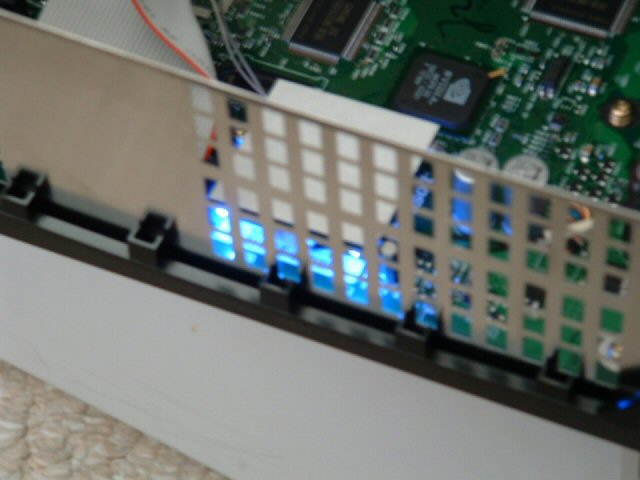
To do the final check that your chip is installed correctly, once you've hooked all the internal guts back up, power it up and see if these 2 blue lights are visible from the side of the Xbox with the chip. If both are lit, everything is connected and you should be good to go. If they are not lit, then go back and check your connections, specifically the d0 connection. Keep at it, you'll get it eventually. Happy modding!

- - - - - - - - - - - - - - - - - - - - - - - - - - - - - - - - - - - - - - - - - - - - - - - - - - - - - - - - - - - - - - - - - - - - - - - - - - - - - - - - - - - - - - - - - - - - - - - - - - - - - - - - - - - -

Really Short Entry

Hey you guys, this is a short entry since I have so much going on. First, the Arena should be up very soon, where all the A-House business will go. Second, personally, I've been really stressed out lately, little things have been getting on my nerves, but I'm trying as best as I can to fight it and be happy. I don't like making people worry when I see them, so I smile and all that, if I don't, then people wonder, and gossip, and then there's rumors about Jenn and I breaking up, or me failing out, or the world ending. WOW THIS HAS ESCALATED OUT OF CONTROL!!! Anyway, things are really ok, I just have way too much homework to catch up on and my committment level is higher than it's ever been. I'll be fine, I jsut need to catch up. Ok, real fast, watching spongebob, and Mr. Krabs' name is Eugene. Ok, time to study, I have an emergency drill at 6:00 AM, I'll see you all later!

- - - - - - - - - - - - - - - - - - - - - - - - - - - - - - - - - - - - - - - - - - - - - - - - - - - - - - - - - - - - - - - - - - - - - - - - - - - - - - - - - - - - - - - - - - - - - - - - - - - - - - - - - - - -

The Wonder Twins Think I’m A Nerd

This shouldn't be a long entry. FIrst of all, I'm gonna make the little un-done area on the left the "A-House update area." When I get time, I'll put a calendar and some links there. But as for me, I dont' have so much to say. I got all melancholy for a few days, so I'll post some stuff from that.
  How can you look in the mirror after sitting back and complaining that you never have the opportunity? The opportunity is now.
  I am afraid of controversy
  You're only as sheltered as you let yourself be
  Sometimes I like to listen to music so I don't have to hear myself think
  Your vote doesn't count, if it counted then you'd be the one deciding, wouldn't you? And don't give me that crap about "oh, what if it's close," if my vote was that important they'd have sent me my friggen absentee ballot one of the 2 years they DIDN'T. And whatever way an election goes, it's your responsibility as a human being to adjust and deal with it, if you wanna be a baby and whine that your vote didn't win, go to another state or country. I'll even pack your bags. I literally challenge all of you who say the state is gonna fall apart because of Ahnold to leave, whether you like him or not, he's the governor and we all have to deal. None of us are the state, but we are all equal members of it, and in this popularity contest we lose sometimes, and being mature means we don't go on the news and begin talking armageddon. Hell, I don't even believe in all his politics, I'm not even his party, and I'm supporting him because he won. It's our responsibility.
  There's some lines of disrespect that should never be crossed. It's one thing to not like someone and have disrespect, it's another thing to put yourself in a condescending superiority role over them. DO what you need to do, but have some respect about it. Please.
  Neverending battles are called that for a reason. The key is recognize it and remove yourself.
  Sometimes, even though you've seen it better elsewhere, tradition is valuable for a reason. And don't step on people's toes.
  I don't like prejudice people. Ironic?
  Finally, and most importantly, I DO NOT LIKE TO WRITE PEOPLE UP!!! Somehow, I've gotten this label as the HA who is looking to write people up. As a great HA once said, there's a balance between the letter of the law and the spirit of the law. I've written one group up for somehting undeniable, but other than that I have given warnings to people for quiet hours, have taken away the ping pong equipment at quiet hours, and have torn down and colelcted illegal fliers. In fact, I wonder sometimes if I should be more strict, because I feel I'm letting a lot I see go. So if you have that impression that I am looking for trouble, know I'm officially now angry at you (and only you people) and am looking at you specifically to be written up. To everyone else, if you really, truly deserve it, I'll write you up, but I'd rather have a mutually respectful relationship with you where we both understand and respect the rules we all have to live by. No one is perfect, and I don't expect anyone to be. I consider my role as an HA not primarily as an officer, but more as a counselor, I think the most important thing I have to do is listen to someone when they have a problem or concern, and be the voice of understanding/comfort/reason. Some of the most important interactions I've had are people telling me how they went and partied off campus, which is fine so long as I don't see you drunk, but to me, it means they trust me, and the fact that a handful of people at this point have expressed their trust in me makes me confident that I'm doing at least somewhat of a decent job.
  Since I'm giving this site out to a lot of people who don't know me well personally, here's a summary. I'm a nerd at heart, I love computers and old TV and guitar and lazer tag and bowling and video games. I am comfortable making a fool of myself, especially if it makes other people feel comfortable. I have a lot of very strong convictions, but I make a point, except in very few cases, to extend it to other people. I like hearing other people's philosophies, I hate it when you try to make me think like you do. For example, without even discussing issues, I consider myself a liberal because 90% of Republicans I know have a pushy, cocky, demanding attitude. They all tell you what to think. That's disgusting to me, I associate myself with liberals because they're the type of personalities I would like to be around. (That's not to say all Republicans are like that, or that I dislike all republicans, some of my best friends are like that, but it's definately something that gets on my nerves, and more often than not I tune that kind of attitude out) I am strongly against drinking, and I never plan on drinking in my life. That doesn't mean I have any disrespect for you if you do drink, and I have no problem being around people who drink, but I've seen the dark side of it and it's not for me. I never plan to drink, not even the customary 21st birthday drink. For all of you who look at astounded that I've never been to a real party or I have no desire to go to TJ, that's why. It's just not for me. Oh, and I don't dance either, ask the Wonder Twins why. I'm heavily involved with my GF, Jenn, of 2 years, we're best frineds and I don't know what I'd do without her. This whole job and room and everything is still new to me and I'm really adjusting still, but when I'm with her I always feel like I'm home, and not just in this temporary room for a year. Other than that, I love watching movies on a friday or saturday night and I have millions, so come by if you like that. For all of you who are reading this, I really want to get to know everyone in the house, and I'm still learning names and faces (Sorry if you say Hi to me and I don't recognize you at first, there's like 600 new people who I've seen and am still learning) I'd like for all of you to stop by and just say hi for a few minutes, it'll help me start a relationship with you. Sianara!

- - - - - - - - - - - - - - - - - - - - - - - - - - - - - - - - - - - - - - - - - - - - - - - - - - - - - - - - - - - - - - - - - - - - - - - - - - - - - - - - - - - - - - - - - - - - - - - - - - - - - - - - - - - -